Free Download for Android

View an ad to download for free

Experience a desktop-style interface on Android

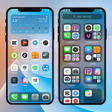
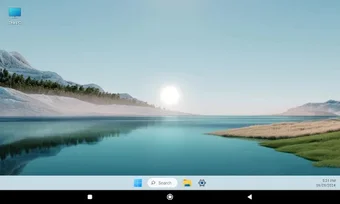
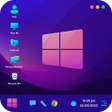
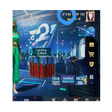
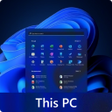
HyperDroid – PC Launcher, developed by binary inc., brings a Windows 11–inspired, desktop-style interface to Android devices. The launcher allows users to access and organize apps in a layout similar to a desktop environment, offering a familiar structure for those who prefer this style of navigation on mobile.

Top Recommended Alternative
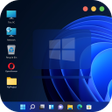
Additionally, it includes customization options, giving users additional flexibility to tailor the look of their home screen. The launcher also supports multi-window use, allowing users to work with multiple apps more conveniently when needed.

Personalized desktop environment on mobile

HyperDroid – PC Launcher replicates elements of a Windows 11–style interface, giving users a desktop-like experience on their Android devices. Building on this design, the launcher provides customization options such as editing app icons and names, allowing users to personalize parts of their interface.

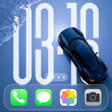
With these features in place, the desktop-style layout offers a familiar structure for users who are accustomed to desktop environments, helping them navigate and access their apps in a way that feels natural. However, beyond its basic editing tools, it may lack the deeper customization options offered by more advanced Android launchers.

A desktop-inspired mobile interface worth considering

HyperDroid – PC Launcher provides a Windows 11–style interface that brings a desktop-like form of navigation to Android devices. By offering features such as editable app icons and names, it introduces personalization options that complement its familiar layout. For users who prefer a desktop-style structure on mobile, the launcher delivers an experience that aligns well with that preference while keeping its feature set straightforward and focused on replicating a known interface.

  • Pros

    • Windows 11-inspired interface
    • Intuitive app organization
    • Personalization options
    • Multi-window support
  • Cons

    • May lack deep customization
 0/1

App specs

  • Developer

  • License

    Free

  • Version

    2.7
  • Latest update

  • Platform

    Android

  • OS

    Android 17.0

  • Language

    English

  • Downloads

    32.7K

    Last month's downloads

    • 3.4K
  • Size

    16.08 MB

  • Download Options

    APK, Google Play

  • Filename

    com.binary.hyperdroid_2.7.xapk

Program available in other languages


Free Download for Android

View an ad to download for free


User reviews about HyperDroid - PC Launcher

3.9

1 reviews

Add review

Main reviews for you

  • Justice Pierce

    Love it so much

    Loved it

More

You may also like

Alternatives to HyperDroid - PC Launcher

Explore Apps

Latest articles

Laws concerning the use of this software vary from country to country. We do not encourage or condone the use of this program if it is in violation of these laws.
Softonic

Is HyperDroid - PC Launcher safe?

100/100

Score result: Clean

This file passed a comprehensive security scan using VirusTotal technology. It is safe to download.

  • Virus free
  • Spyware free
  • Malware free
  • Verified by Security Partners

    VirusTotal logo

Scan Info

Last scan
Tuesday, June 30, 2026
Scan provider
VirusTotal · Full report

File Integrity

File
com.binary.hyperdroid_2.7.xapk
SHA256
de014075846bd8a194ea0ac06b858ff4029eeb4e17e7d8b7f2a397456d3988c2
SHA1
353163f6f5dc9dbd1e9656dc79ecf4a82115a586

Softonic security commitment

HyperDroid - PC Launcher has been thoroughly scanned by our advanced security systems and verified by industry-leading partners. This file comes from the official developer and has passed all our security checks, showing no signs of viruses, malware, or spyware. For more information, visit our Security and Trust Center

Signed in to Softonic as